
Tumblr
Schedule Tumblr posts, reblogs and tags
Plan posts with photo sets, GIFs and video for every blog you run. Posto turns your hashtags into Tumblr tags, reblogs a post by its link on time, lets you edit what is already out and counts notes and followers.
Why Posto for Tumblr
What Tumblr’s own queue won’t do for you
-
Hashtags become tags
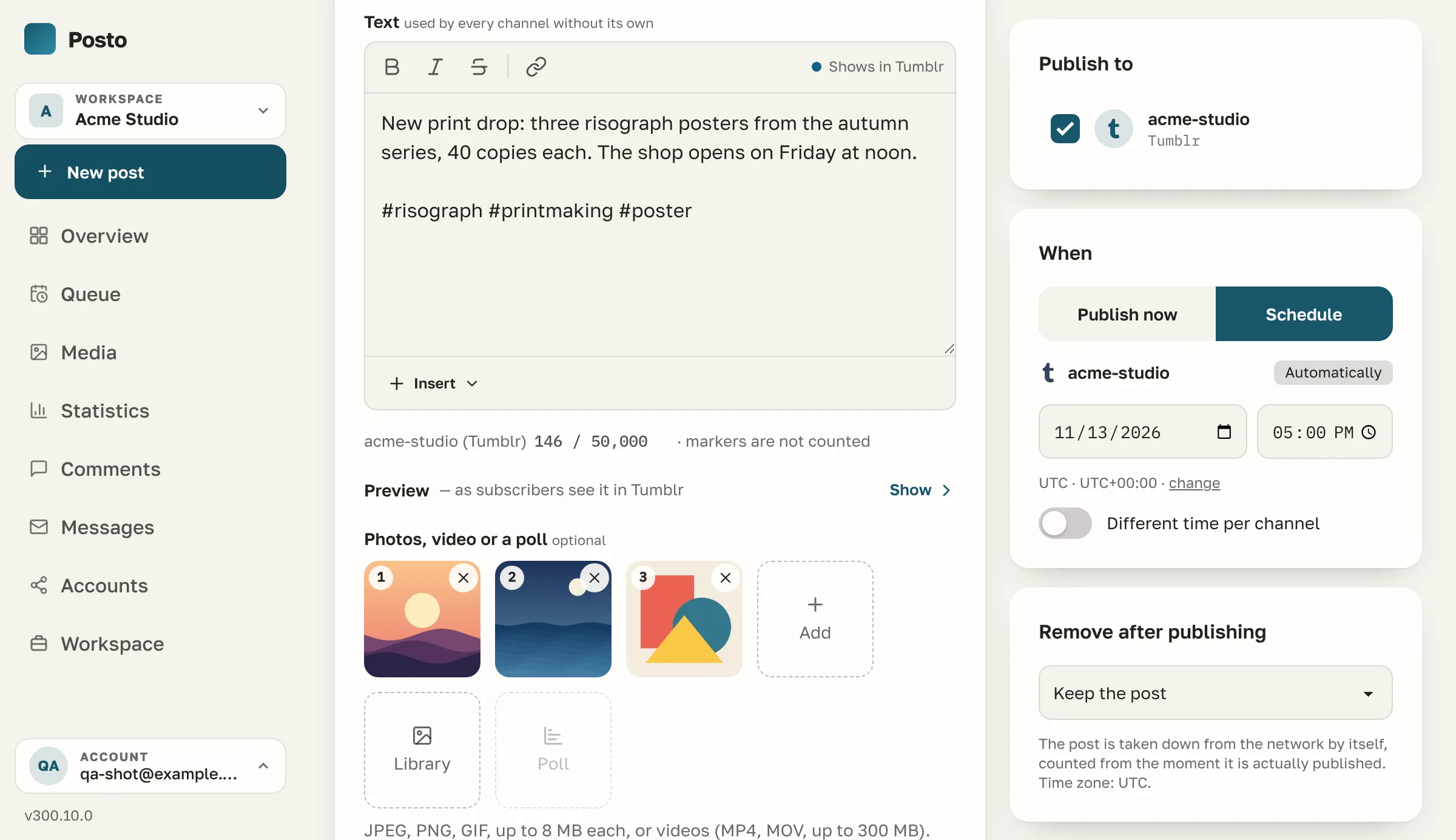
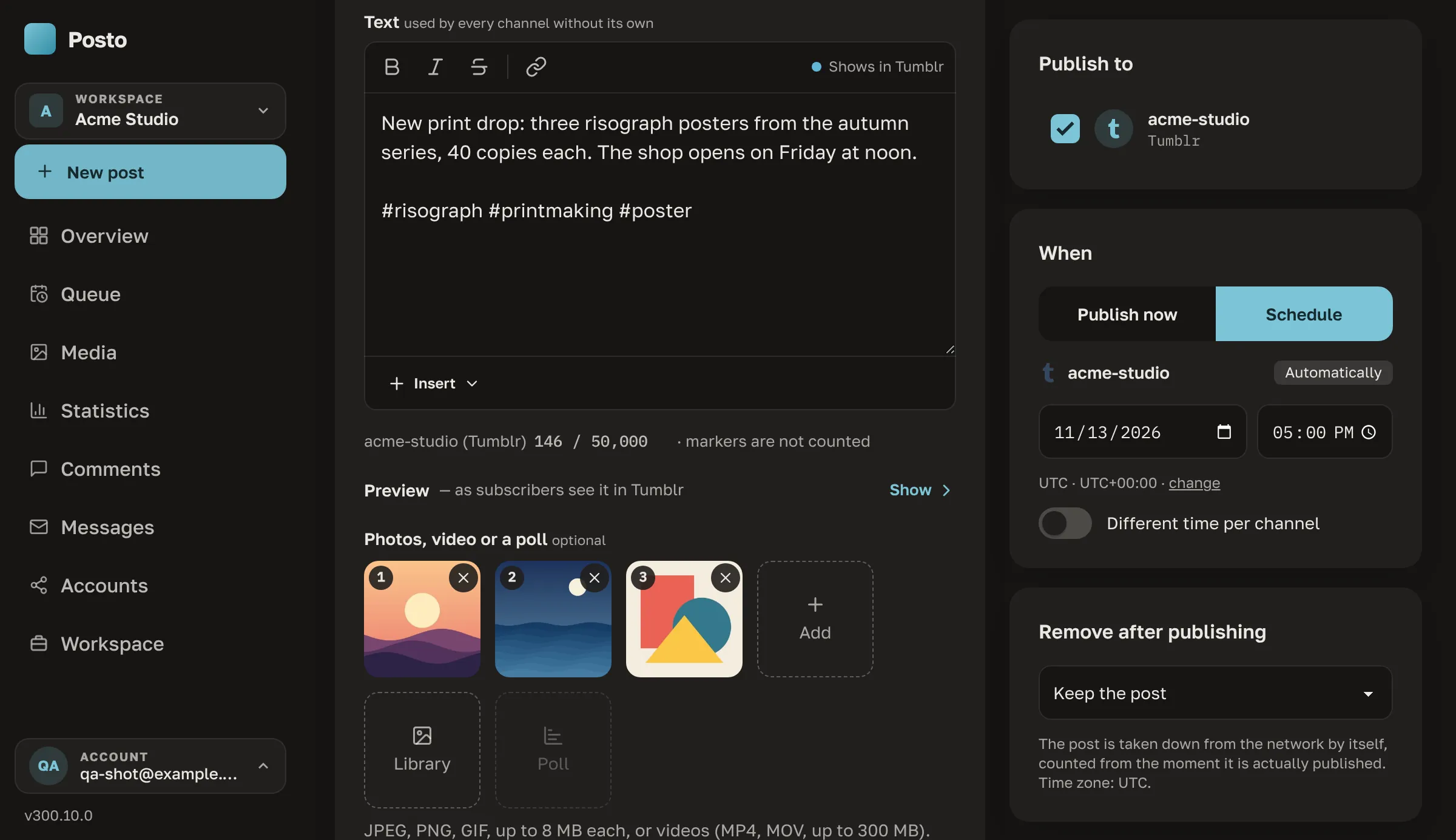
Write the hashtags at the end of the text, and they go out as the post’s tags, not as words in it.
-
Reblogs on a schedule
Paste the link of any post, and Posto reblogs it at the time you pick, with your own text, pictures and tags.
-
See the post you reblog
A preview of the post appears under its link and warns you when its author has turned reblogs off.
-
Up to 30 pictures in a post
Photo sets with alt text, a video together with pictures, and a GIF that keeps moving when it is the whole post.
-
Fix a post after it is out
Edit the text and tags of a published post from the queue. Its pictures stay as they are.
-
Every blog, one sign-in
Connect all the blogs of your account at once and tick any of them in the composer, next to your other networks.
Everything, by group
Everything Posto does with Tumblr
-
Publishing
- Text, photo sets of up to 30 pictures, and a video together with pictures
- A GIF on its own stays animated
- Hashtags at the end of the text go out as the post’s tagsHashtags inside a sentence stay part of the text.
- Reblog another blog’s post by its link, adding your text, pictures and tagsTumblr takes no video in a reblog, so the option is off while the post carries one.
- Edit the text and tags of a published post; its pictures stay
- Delete a published post from Posto
-
Composer
- Bold, italic, strikethrough and links carried over to Tumblr
- Alt text for every picture
- A preview of the post you reblog, with a warning when its author has turned reblogs off
- Own text for Tumblr, shared text for the rest
-
Conversations
- Replies under your posts in one list with the comments of your other networks
- A link from every reply to its post on Tumblr, where you answer it
-
Statistics
- Notes of each post — likes, reblogs and replies together — a day, a week and a month after publishing
- Followers of each blog over time
-
Connecting
- Every blog of your account, picked in one window — each blog is a channel of its own
- One sign-in for all your blogs; Posto keeps the access fresh by itself
- Posto asks only for what these features need the permissions, one by one
Tumblr at a glance
Tumblr’s limits, checked as you write
The composer checks every post against these numbers before it is scheduled. They are read from the code on every page view, so this table is never out of date.
- Text
- 50,000 characters
- Pictures per post
- up to 30JPEG / PNG / GIF
- Video
- up to 500 MBMP4
- Alt text
- Yes
- Polls
- No
- Clickable links in the text
- Yes
- Delete a post from Posto
- Yes
- Editing a published post in Posto
- Yes — the text
Also in Posto
The rest of the toolbox, for Tumblr too
-
Queue and time slots
Set posting times once, then add posts to the queue.
-
Calendar
Drag posts between days; holidays of your countries are shown.
-
Client approval
A client approves your post or sends it back before it goes out.
-
Media library
Folders, favourites, Canva and Google Photos.
-
PDF reports
Download a PDF report or have it e-mailed on a schedule.
-
CSV and Google Sheets
Import posts from a CSV file or a live Google Sheet.
-
Post from Telegram
Write to the bot in Telegram, and the text, photo or album becomes a draft.
-
AI marketer
Free in beta, on request A month plan, captions and pictures in your brand’s voice.
Compared
Posto and other schedulers on Tumblr
The Tumblr rows of our full comparison, plus the general features that matter here. Every competitor cell has a source and a check date.
- Yes
- Partly — hover for what exactly
- No
- Not on the vendor’s free or entry plan
- Posto: switched on for you on request
| Feature | Posto | Buffer |  Later |
 Metricool |
Publer | SocialBee |
|---|---|---|---|---|---|---|
| Tumblr | ||||||
| Posts, pictures and video | Yes | No | No | No | No | Partly · a reminder on your phone, you post by hand |
| Take a published post down, pin it | Yes | No data | No data | No data | Partly · not on the free or entry plan · auto-delete after a delay | No data |
| Edit a published post: text and pictures | Yes | No data | No data | No data | Partly · Facebook Pages, LinkedIn, Google Business Profile, YouTube; no pictures on LinkedIn | No data |
| Followers, views, reactions, video watch time | Yes | Yes · 30 days of history on the free plan | Yes | Yes | Yes · not on the free or entry plan | Yes |
| Across every network | ||||||
| Queue slots and “Add to queue” | Yes | Yes | Partly · Quick Schedule slots | Partly · autolists | Yes | Yes |
| Calendar with drag and drop | Yes | Yes | Yes | Yes | Yes | No data |
| Approval workflow for clients | Yes | Yes · not on the free or entry plan | Yes · not on the free or entry plan | Yes · not on the free or entry plan | Yes · not on the free or entry plan | Yes · not on the free or entry plan |
| Limits of each network checked while you type | Yes | Yes | No data | Yes | Yes | No data |
| PDF or e-mail report | Yes | Yes · not on the free or entry plan | Partly · Instagram report by link | Yes · not on the free or entry plan | Yes · not on the free or entry plan | Yes · not on the free or entry plan |
| AI marketer: brand profile, a month plan, texts, pictures, short video | Switched on for you on request | Partly · AI assistant for text | Partly · captions and ideas | Partly · AI assistant | Partly · AI assist | Partly · AI copilot |
| Members and roles: owner, admin, editor, viewer; invitations | Yes | Yes · not on the free or entry plan | Yes · not on the free or entry plan | Yes · not on the free or entry plan | Yes · not on the free or entry plan | Yes · not on the free or entry plan |
| Public API | Yes · posts, media, statistics and comments | Yes · one key on the free plan | No | Yes · not on the free or entry plan | Yes · not on the free or entry plan | No |
| AI assistants (MCP) | Yes · Claude, ChatGPT, Cursor | Yes · on every plan | No | Yes · on every plan | Yes · not on the free or entry plan | No |
Sources and check dates of every cell are on the full comparison. Full comparison with Buffer, Later, Metricool, Publer, SocialBee
Questions
Tumblr questions
Can I schedule a reblog?
Yes. Paste the link of the post into the Reblog field of your Tumblr blog, and Posto reblogs it at the time you pick, with your own text, pictures and tags or with nothing added. A preview shows the post before you schedule.
What happens to my hashtags?
Hashtags at the end of the text are taken out of it and become the post’s tags, without the # and without repeats. A hashtag in the middle of a sentence stays where it is.
Can I post to several blogs?
Yes. Sign in to Tumblr once and tick the blogs you want: each becomes a channel, and one post can go to any of them, or to all, together with your other networks.
Can I edit or delete a post after it is published?
Yes. Change the text and tags of a published post, and Posto updates it on Tumblr; the pictures stay as they were. Take the post down in the queue, and it is deleted on Tumblr.
Can I answer replies from Posto?
Replies under your posts come into the same list as the comments from your other networks, each with a link to its post. Tumblr’s API cannot post a reply, so you answer on Tumblr.
Which statistics does Posto show for a blog?
The notes of each post, which Tumblr counts as likes, reblogs and replies together, a day, a week and a month after it is published, and the followers of each blog over time.
Made for
Who uses Posto for Tumblr
Early access
Run your Tumblr blogs from one calendar
Leave your email. We send an invite as soon as registration opens, and early users keep founder pricing once paid plans start.